Borrow & repay
This page describes borrow and repay flows on the Aave v4 integration — the first supported DeFi use case for TBV on the public testnet. TBV handles the Bitcoin vault underneath; the Aave v4 integration handles borrowing, repayment, health factor, and liquidation.
This page covers borrowing USDC, USDT, or WBTC against an active vault, how interest accrues, and how to repay. The vault creation step that comes before is on Create a vault. The redemption step that comes after is on Withdraw & redeem.
An activated vault becomes usable collateral automatically: the activation transaction moves the vault to InUse and the contracts create and supply the corresponding collateral record to the Aave v4 market. From there, the day-to-day life of a position is the standard DeFi borrow-and-repay loop, with vault-specific behaviour around collateral structure and liquidation. This page is the operating guide for that loop.
Public-testnet caps on per-address total collateral and per-position vault count apply. See Protocol parameters for the live numeric limits.
Before you start
You need:
- At least one activated vault in
InUsestatus. If you don't have one, start at Create a vault. - A small balance of Sepolia ETH for gas on each transaction.
- Familiarity with basic DeFi borrowing concepts: collateral, health factor, and liquidation.
Borrow stablecoins or WBTC
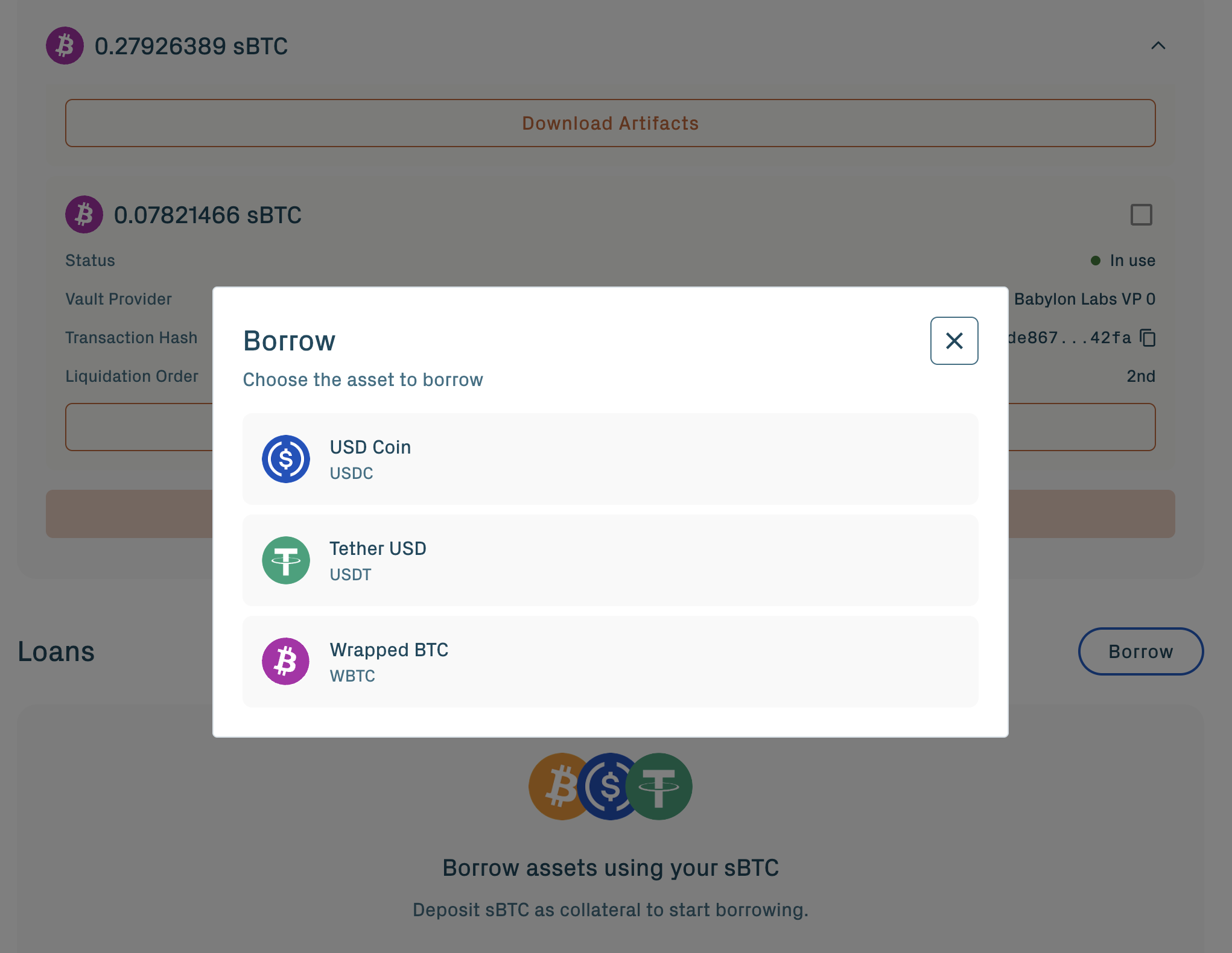
Borrowable assets on the current public testnet:
- USDC
- USDT
- WBTC
Each asset has its own interest rate, supply cap, and borrow cap configured at the Aave v4 Hub level.
From the Loans section, click Borrow:
1. Select the asset.
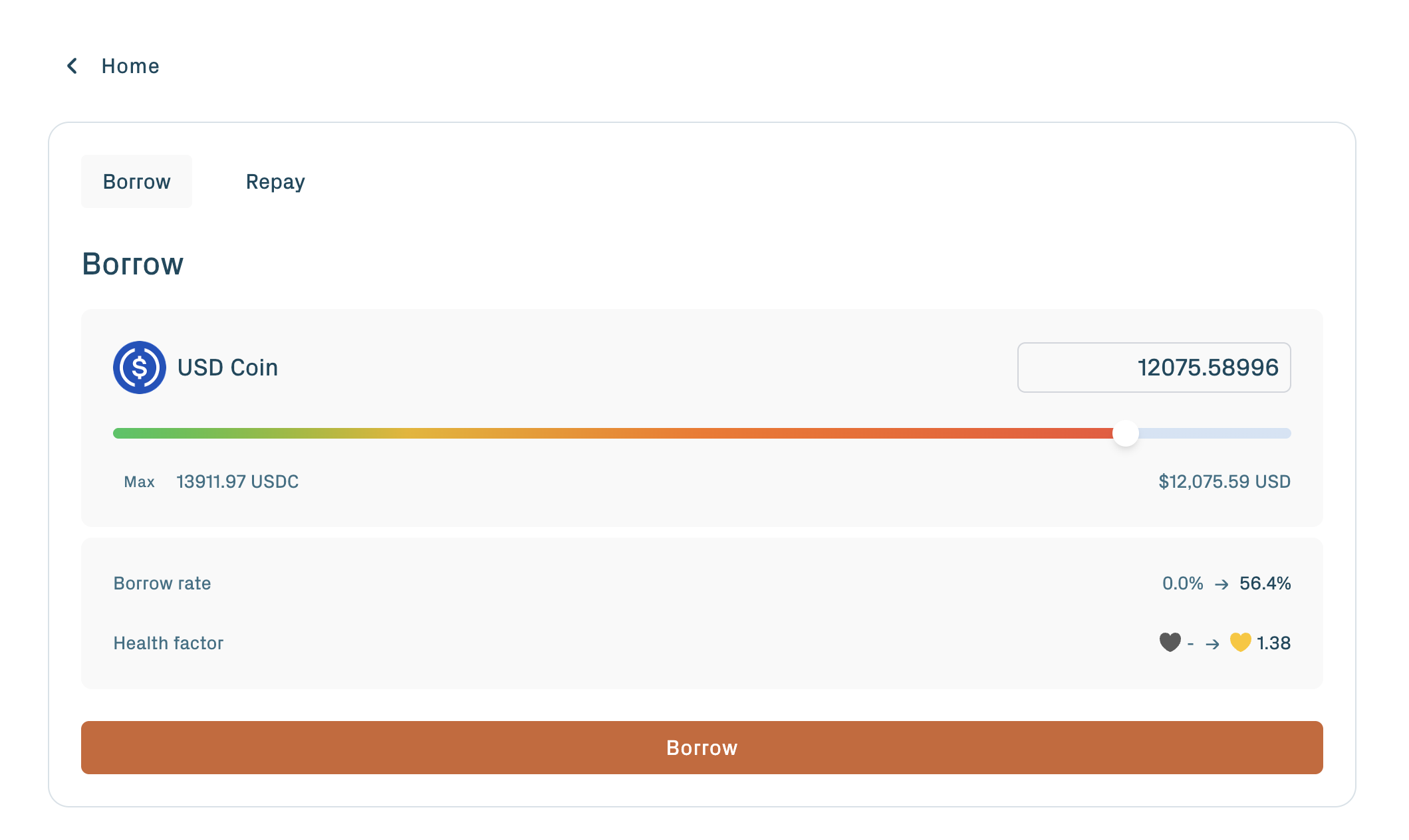
2. Enter the amount.
3. Confirm the Ethereum transaction in your wallet.
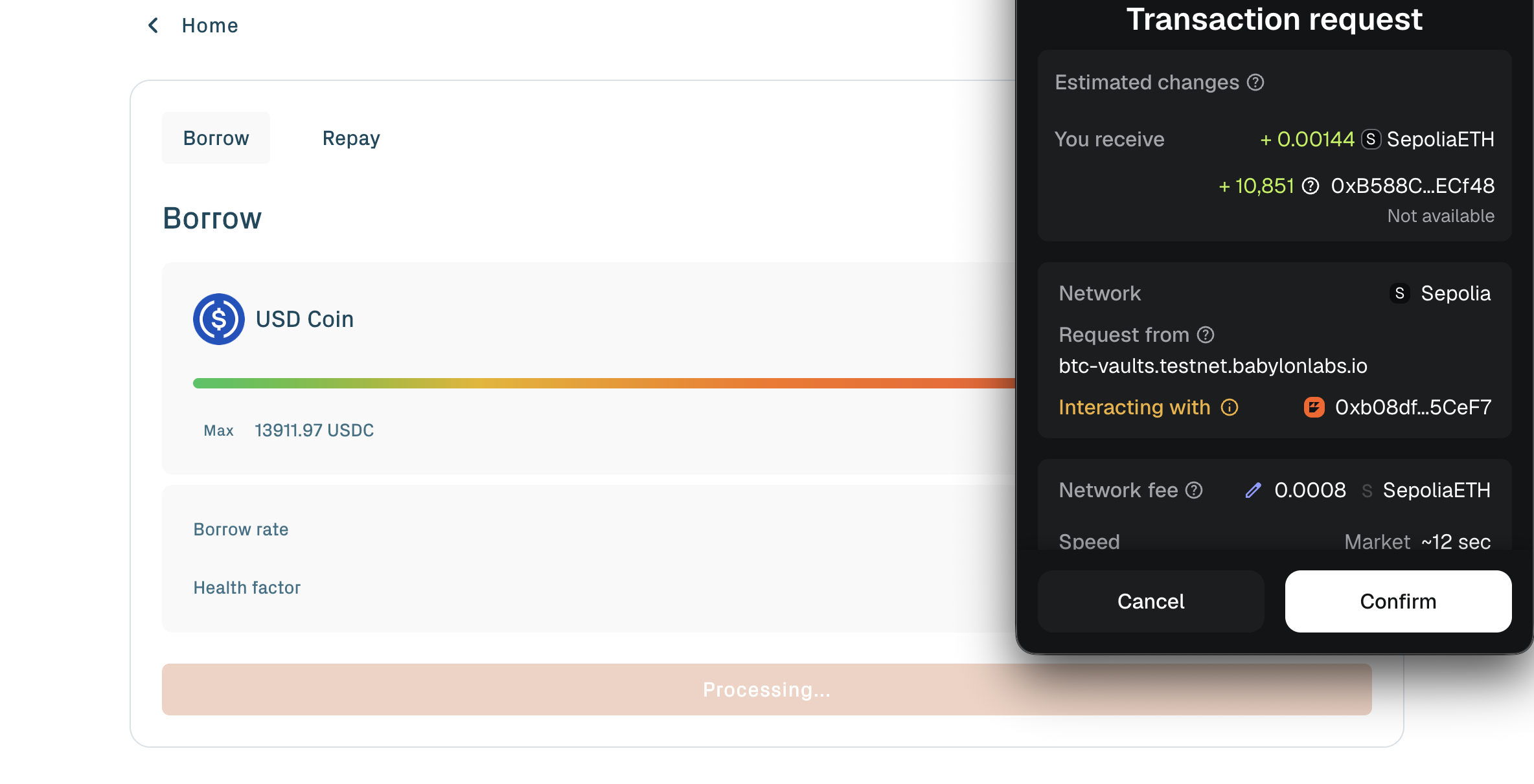
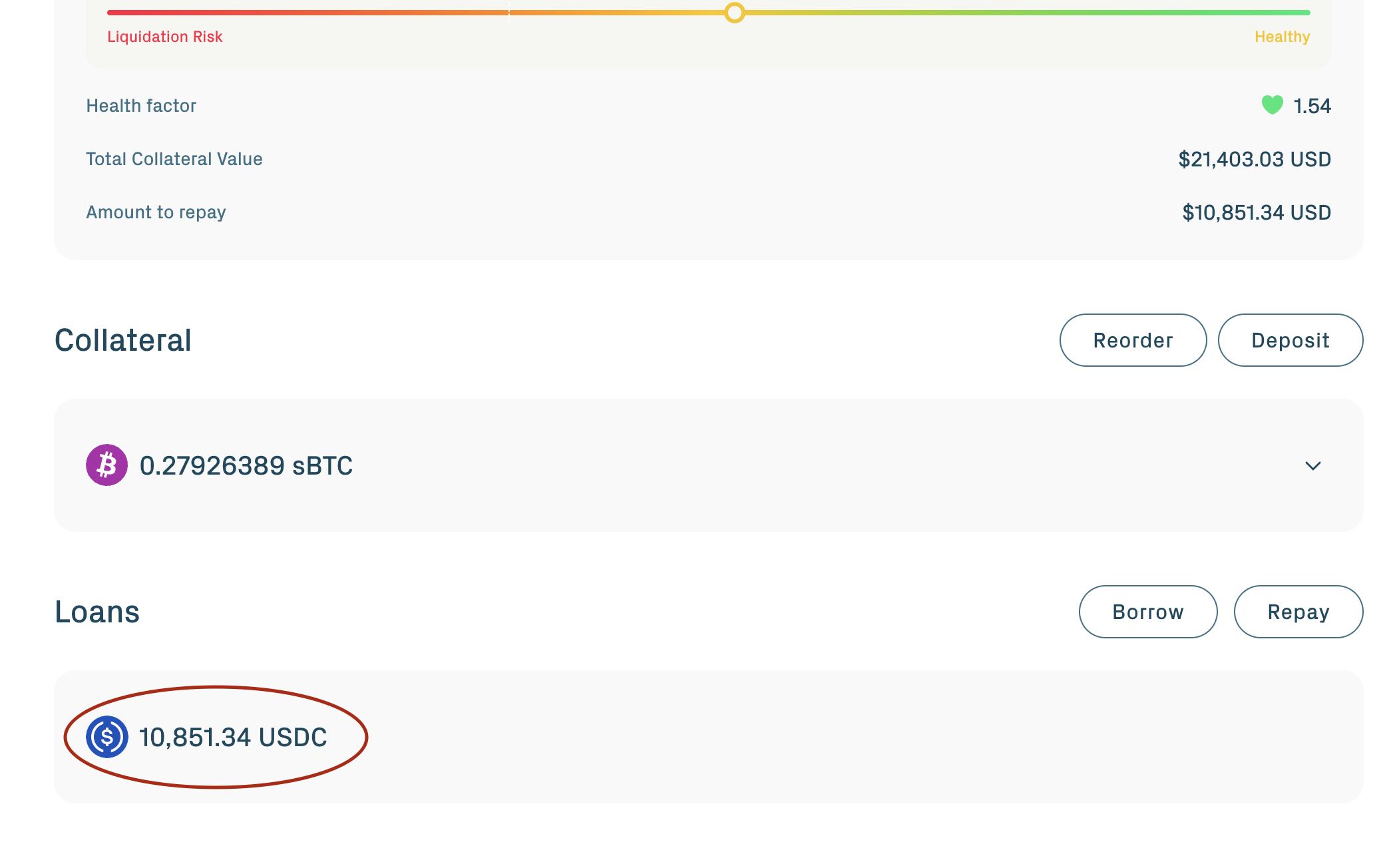
The borrowed asset arrives in your Ethereum wallet, or in any address you specify as the receiver.
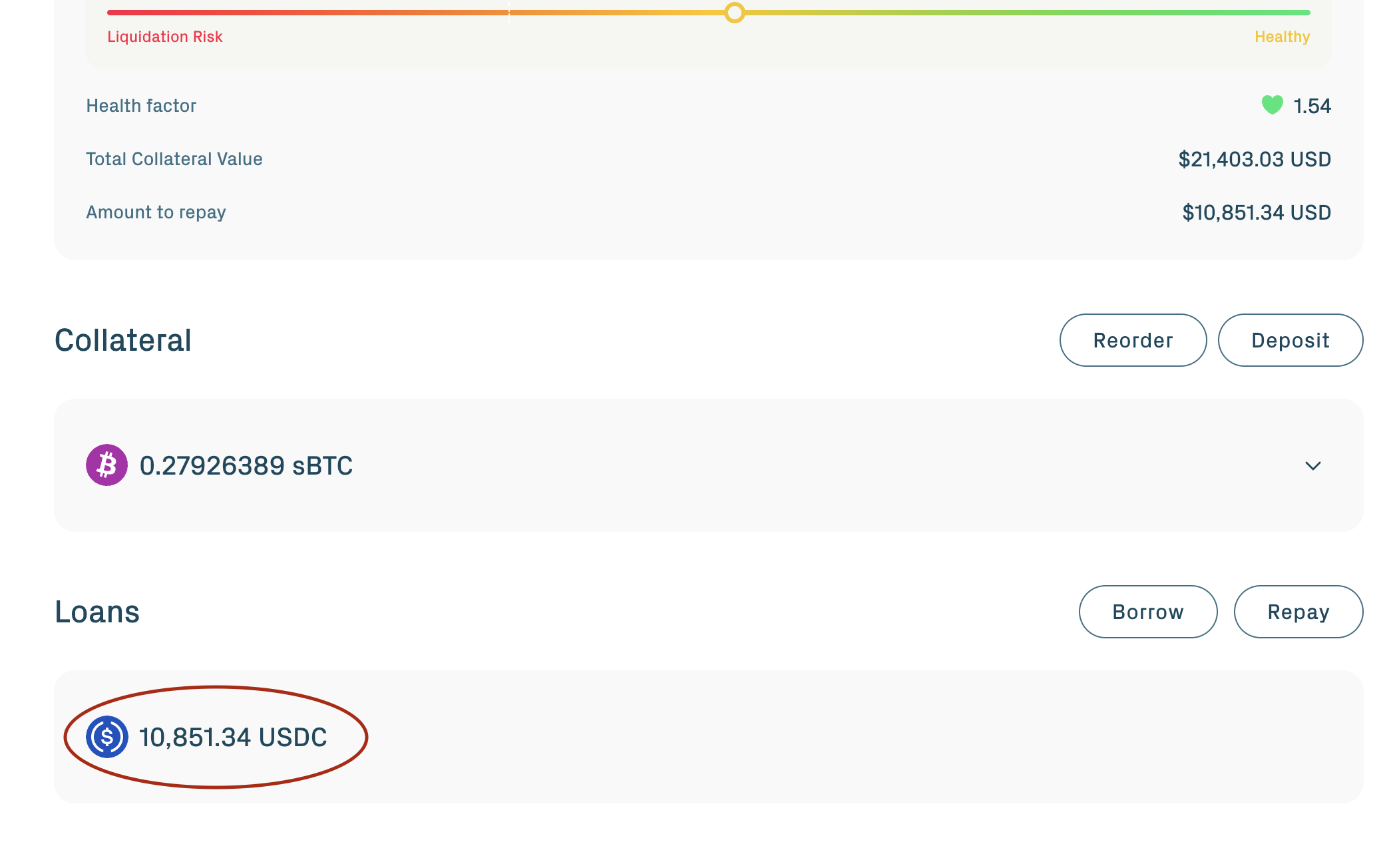
The borrow is rejected if:
- The resulting health factor would drop below 1.0.
- The amount exceeds the Hub's draw cap for that asset.
- The reserve is paused or frozen.
You can borrow from multiple asset reserves at once (up to 4 reserves combined, per maxUserReservesLimit). For example, borrow USDC and USDT in parallel against the same BTC collateral. Each debt is tracked independently, but the health factor reflects the aggregate of all debts.
You can also return to Borrow repeatedly and borrow more as long as the resulting health factor stays above 1.0.
How interest works
Interest on borrowed assets accrues continuously, not at scheduled intervals.
Rate set by utilization. Each asset's interest rate is a function of utilization: the ratio of total borrowed to total supplied for that asset on the Aave v4 Hub. Below the optimal utilization pivot, the rate climbs linearly at one slope; above the pivot, it climbs much faster.
Continuous accrual. Interest is applied on every Ethereum block. There is no "interest cycle" or "billing period". The exact amount owed at any moment is the principal borrowed plus the interest accumulated up to that block.
Debt growth reduces the health factor. As debt grows from accrued interest, the health factor drops. A position that was safe at borrow time can drift toward liquidation over a long enough period without repayment, even if BTC price is stable.
When BTC price rises, your collateral value rises, the health factor improves, and you can either borrow more or simply enjoy a larger safety margin.
Health factor
The health factor is a single number summarizing how safe the position is. The formula is:
Health Factor = (Total Collateral Value × Collateral Factor) / Total Debt Value
The collateral factor for BTC collateral on the public testnet is listed in Protocol parameters. Since the collateral record is the only collateral on the Babylon Core Lending Spoke, the position's collateral factor is constant (positions on other spokes with heterogeneous collateral would use a weighted average).
A higher number is safer. A position becomes liquidatable when the health factor drops below 1.0.
| Health factor | What it means |
|---|---|
| Above 1.5 | Comfortable margin above liquidation. |
| 1.2 to 1.5 | Approaching risk. Consider repaying some debt or adding collateral. |
| 1.0 to 1.2 | High risk. Repay debt or add collateral immediately. |
| Below 1.0 | Liquidatable. The position can be liquidated at any moment. |
The health factor changes with three inputs:
- BTC price moves the collateral value (rising BTC raises the health factor; falling BTC lowers it).
- Accrued interest moves the debt value upward over time.
- Your actions: borrowing more lowers the health factor; repaying or adding collateral raises it.
For the liquidation mechanism in detail, including what happens when the health factor reaches 1.0 and how the fairness payment returns any over-seized value, see Liquidation risk.
Repay your debt
To pay down debt, open the Loans section and click Repay.
Choose:
- Repay partial pays down a portion of one asset's debt. The position stays open with reduced debt and an improved health factor.
- Repay full closes out one asset's debt entirely. If you have debt across multiple assets, repay each one separately. There is no aggregate "repay everything" call.
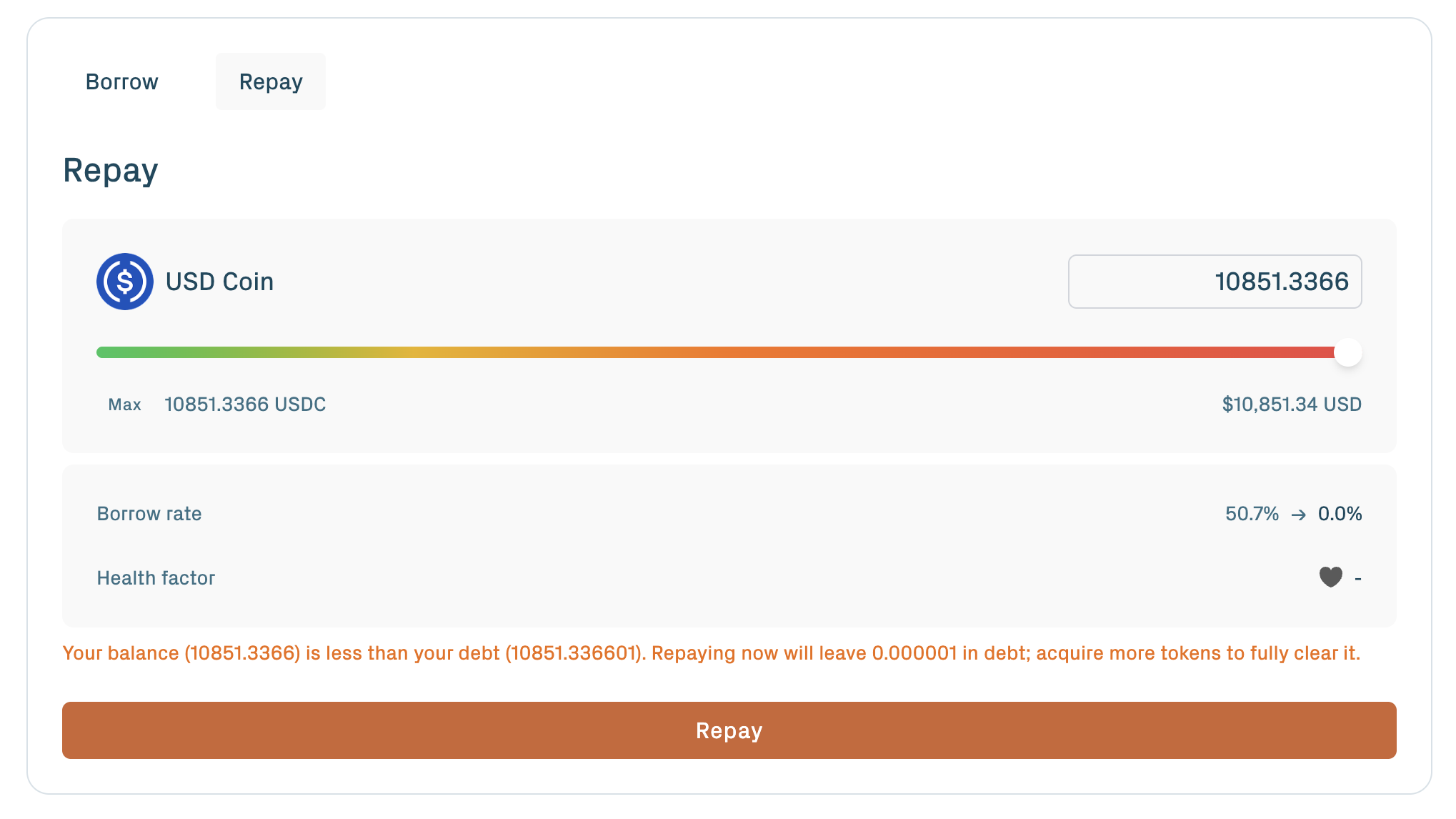
Repaying usually shows an ERC-20 spending cap approval first, then the repayment transaction. Approve a small buffer because interest can accrue while the transaction is pending; any excess stays in your wallet.
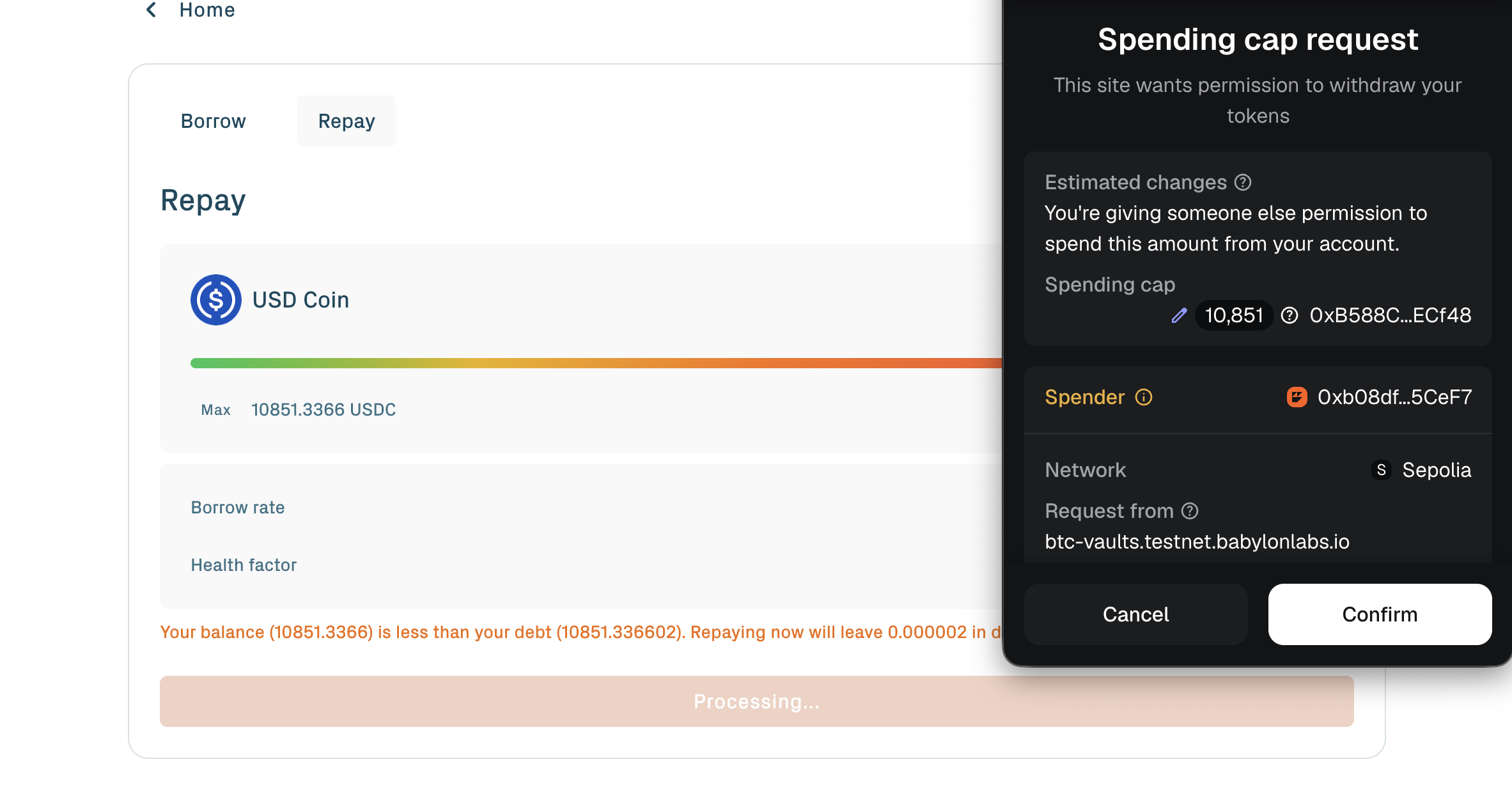
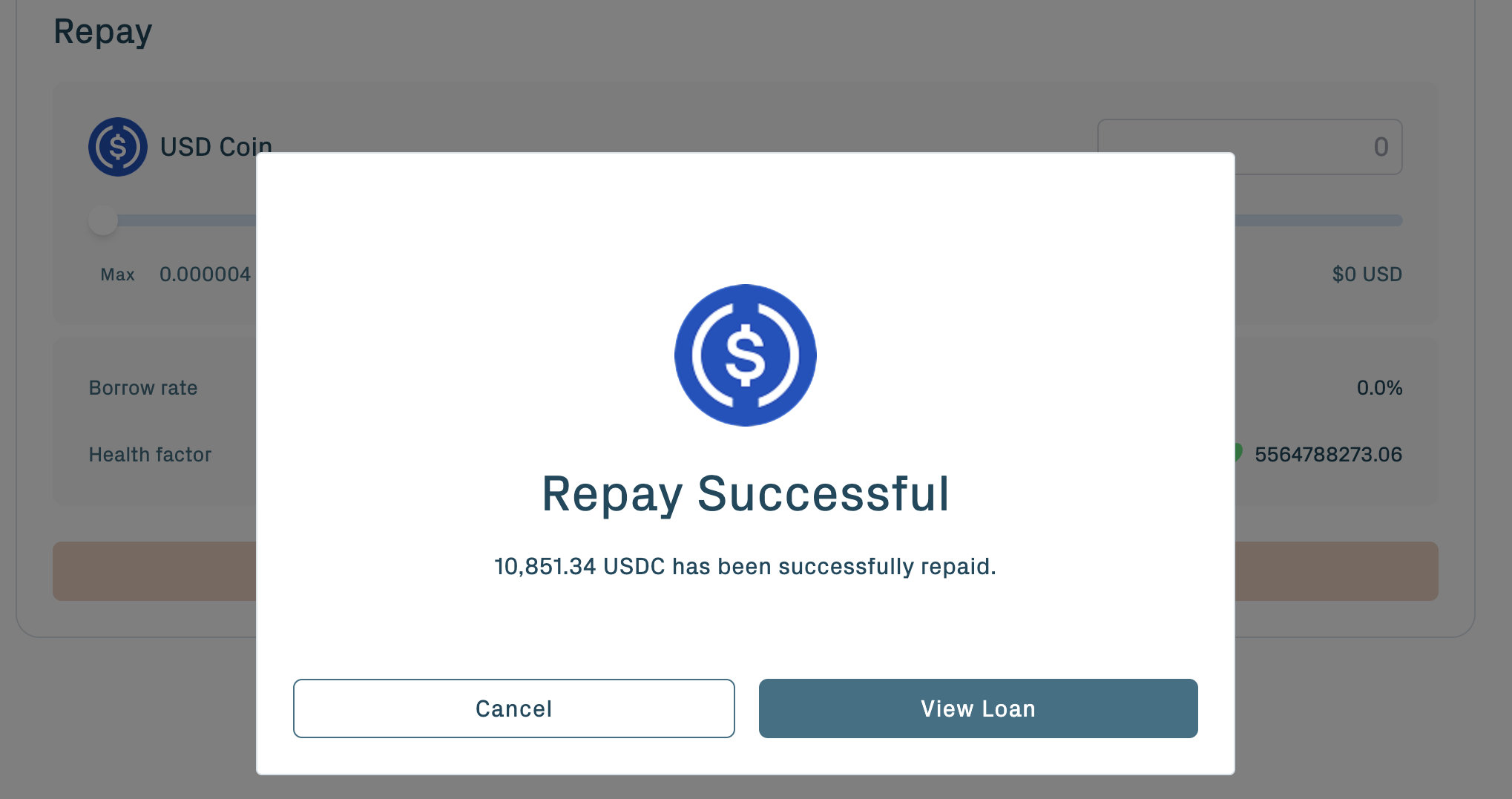
For each repay, the portal handles the ERC-20 approval and the repayment transaction.
When fully repaying, approve a slightly larger amount than the displayed debt. Interest accrues between the moment you query the debt and the moment the transaction confirms; a small buffer prevents the transaction from failing on a fractional shortfall. Any excess stays in your wallet.
If interest accrues in the seconds between querying and confirming, a small residual debt may remain. Repeat repayment with a small buffer until the dashboard shows zero debt across every borrowed reserve.
The protocol allows third-party repayment: anyone can repay debt on your position's behalf. This is the mechanism liquidators use to repay debt during seizure, and it is supported as a general feature. The borrower's debt decreases regardless of who paid.
After all debt is repaid across all asset reserves, the position is eligible to withdraw collateral. See Withdraw & redeem.
Add more collateral
To grow a position over time, add more vaults.
Create and activate another vault. Once the activation transaction succeeds, the contract creates the additional collateral record and supplies it to the same borrowing position automatically.
Activating another vault:
- Creates an additional collateral record and supplies it to the Aave v4 market.
- Increases the position's collateral value.
- Raises the health factor.
Adding collateral is one of three actions that raise the health factor: activate another vault, repay debt, or wait for BTC price to rise.
Position cap reminder: public-testnet per-position and per-address caps apply. See Protocol parameters for the current values.
If the position now contains multiple vaults, the order of the list determines which vault is seized first during a liquidation. The vault at the front of the list goes first. See Create a vault for the two-vault distribution recommendation and Liquidation risk for why ordering matters.
Monitor your position
The portal surfaces the position's state on the Loans section:
- Health factor, current.
- Total collateral value, the sum of vault BTC amounts priced at the current BTC/USD oracle value.
- Outstanding debt, per asset and aggregate.
- Borrow rate, per asset, the live rate driven by utilization.
Next steps
- Withdraw & redeem: close the position and recover the underlying BTC.
- Create a vault: change the liquidation priority of multiple vaults in one position.
- Liquidation risk: what triggers liquidation, what is seized, and how the fairness payment works.